For this GitHub Actions test, I created a simple Docker image and tried writing a workflow.
1. Write a Dockerfile
bash
FROM nginx:alpine
RUN echo "Hello, dongdorrong~?" > /usr/share/nginx/html/index.html ; \
    chmod +x run.sh ;\
    apk update && apk upgrade --ignore alpine-baselayout
2. Push the Image to GitHub Container Registry
An access token is required to access GitHub Container Registry.
You can create a token at https://github.com/settings/tokens and put it in a file of your choice, then run the command to push the image.
bash
# cat password.txt | docker login https://ghcr.io -u <사용자 ID> --password-stdin
Login Succeeded
# docker tag nginx-test ghcr.io/dongdorrong/nginx-dongdorrong:0.1
# docker image ls
REPOSITORY                              TAG       IMAGE ID       CREATED       SIZE
nginx-test                              latest    0c51660caa3a   3 hours ago   45.9MB
ghcr.io/dongdorrong/nginx-dongdorrong   0.1       0c51660caa3a   3 hours ago   45.9MB
# docker push ghcr.io/dongdorrong/nginx-dongdorrong:0.1
80c32fbe8536: Pushed
9e173cdce044: Pushed
f2d47996fdfa: Pushed
c23f26e962bd: Pushed
0511ab7e6edc: Pushed
ec7e4a91c33b: Pushed
1fee4bd55a85: Pushed
ded7a220bb05: Pushed
0.1: digest: sha256:971b6b281843cb9418462bc5f870d21267bb04f3c07107b0831c7c5029e2ad38 size: 1992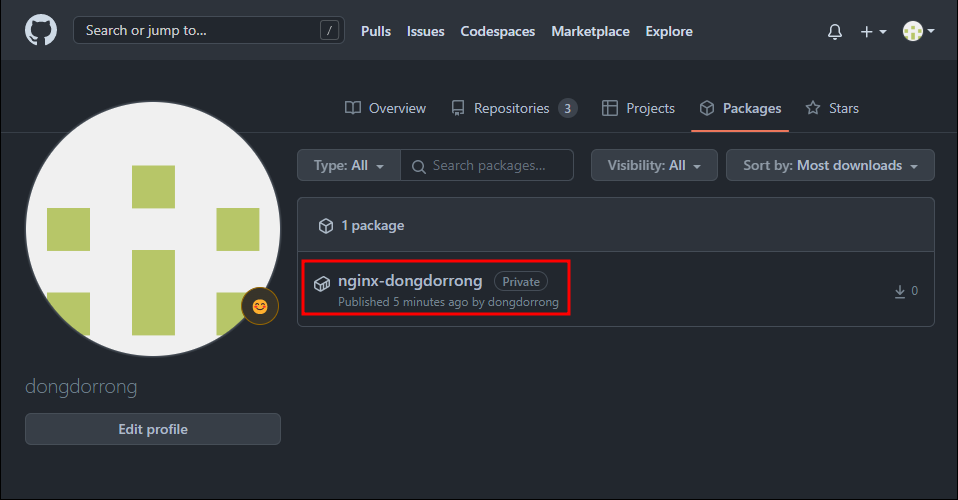
3. Write the Workflow
I added a condition at the top so that it would run as soon as the changes were applied to the master branch.
Let's check the status after writing and merging the workflow.
yaml
name : ci
on:
  push:
    branch:
      - master
jobs:
  image-push:
    runs-on: ubuntu-latest
    steps:
      - name: Checkout
        uses: actions/checkout@v2
      - name: Set env
        run: echo "RELEASE_VERSION=${GITHUB_REF#refs/*/v}" >> $GITHUB_ENV
      - name: Set up Docker Buildx
        uses: docker/setup-buildx-action@v1
      - name: Login to Github Container Registry
        uses: docker/login-action@v1
        with:
          registry: ghcr.io
          username: ${{ github.repository_owner }}
          password: ${{ secrets.CR_PAT }}
      - name: Build and push
        uses: docker/build-push-action@v2
        id: docker_build
        with:
          context: .
          file: ./eks_github/Dockerfile
          push: true
          tags: |
            ghcr.io/${{ github.repository_owner }}/nginx-dongzz:latest
---
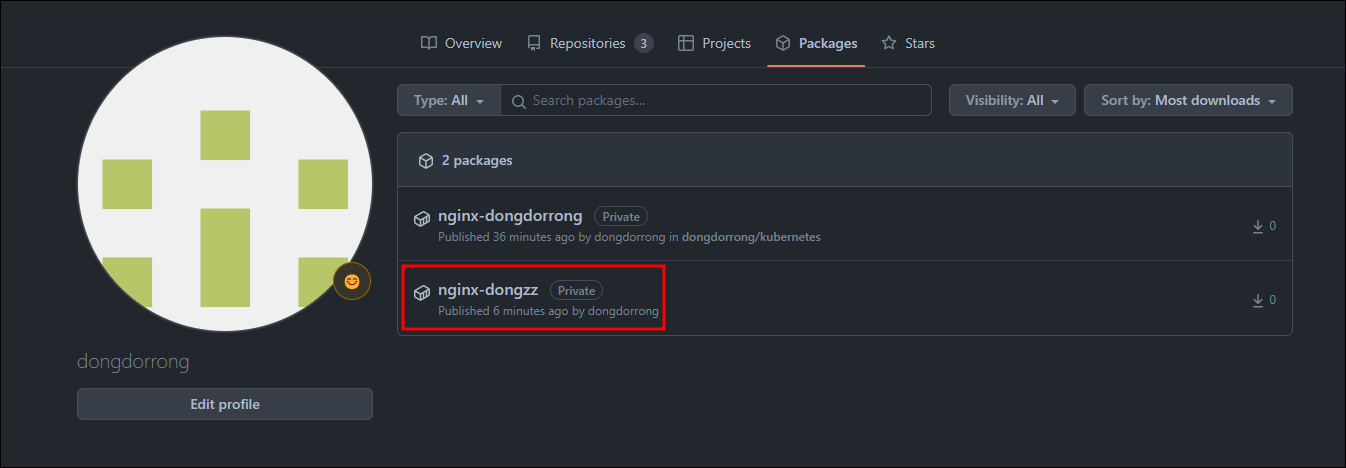
I confirmed that the image had been uploaded to GitHub Container Registry with the changed tag.
References
https://devocean.sk.com/blog/techBoardDetail.do?ID=163350
https://www.daleseo.com/github-actions-basics
https://blog.outsider.ne.kr/1531