1. Enable Hyper-V
2. Install an Ubuntu VM
🚩 Before starting the VM, disable 'Enable Secure Boot' and set the number of virtual processors to 2.
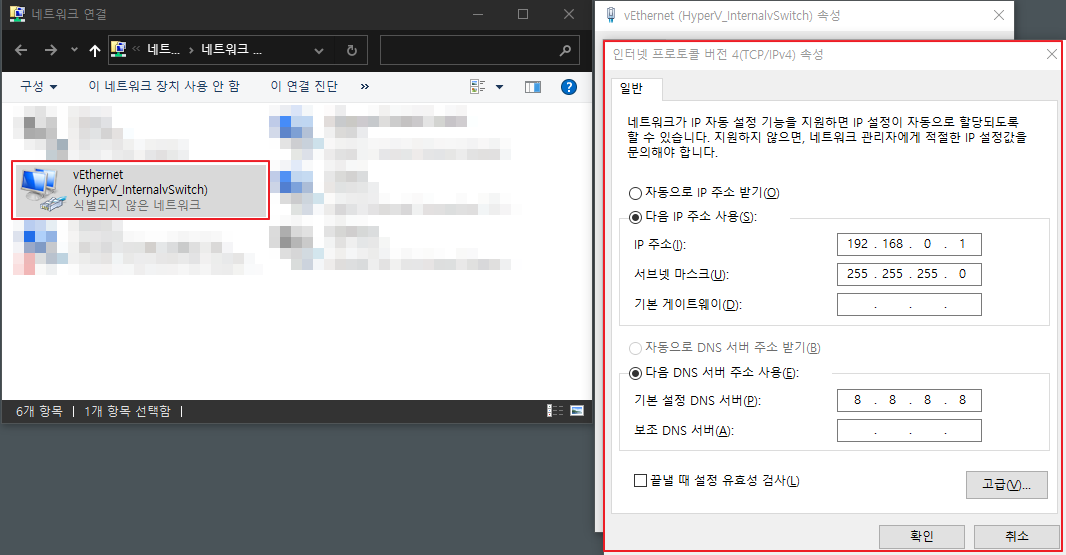
3. Configure a Static IP for the Hyper-V VM (reference)
PowerShell
New-VMSwitch -SwitchName "HyperV_InternalvSwitch" -SwitchType Internal
Get-NetAdapter
New-NetIPAddress -IPAddress 192.168.0.1 -PrefixLength 24 -InterfaceIndex <INDEX>
New-NetNat -Name MyNATnetwork -InternalIPInterfaceAddressPrefix 192.168.0.0/24
🚩 Check the INDEX value to use with the New-NetIPAddress command

🚩 PowerShell output
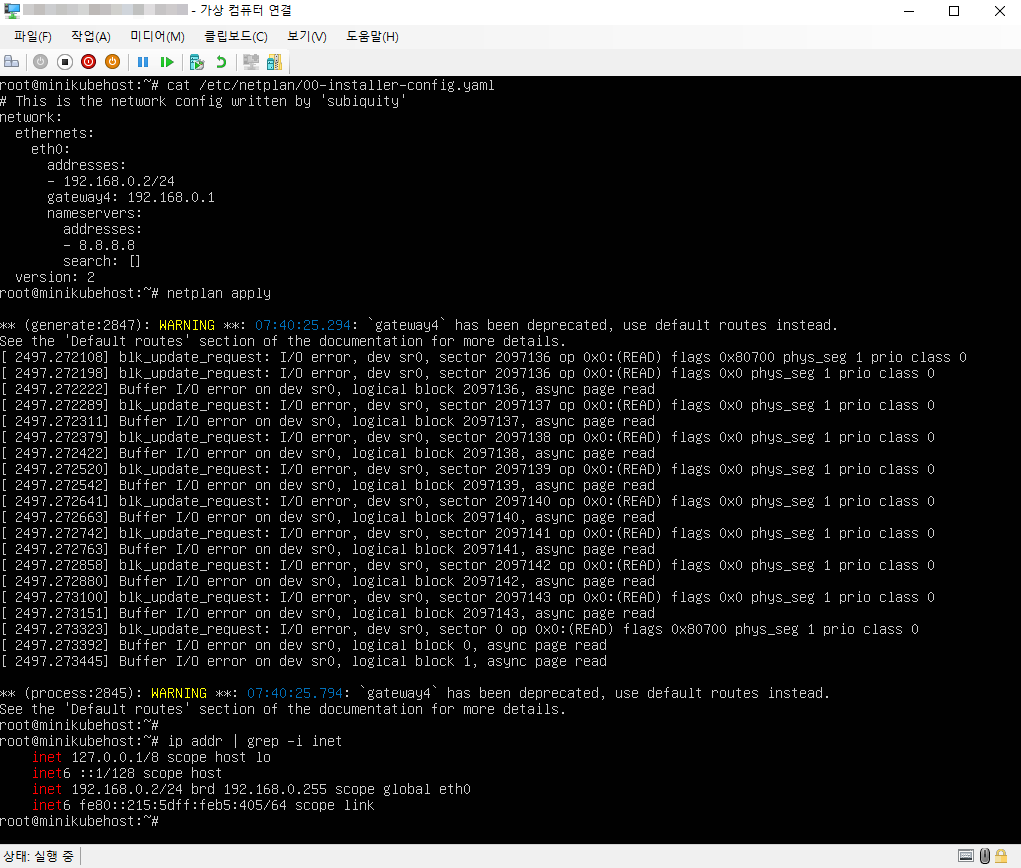
🚩 Configure a Static IP in the VM
4. Install and Test minikube (reference)
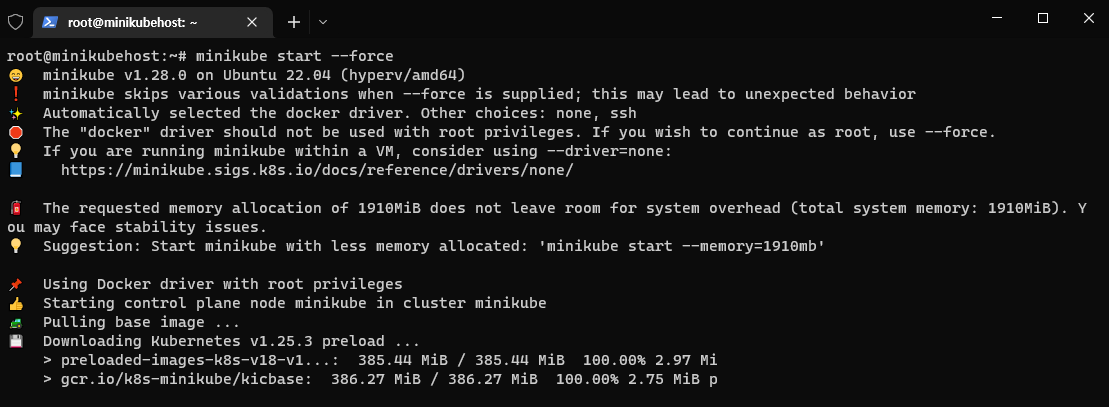
A Docker permission issue occurred, so I added --force when running minikube start to resolve it (reference)